> For the complete documentation index, see [llms.txt](https://tailieu.smax.ai/llms.txt). Markdown versions of documentation pages are available by appending `.md` to page URLs; this page is available as [Markdown](https://tailieu.smax.ai/extend-modules/puzzle-game.md).
# Puzzle Game
{% hint style="warning" %}
**Module Puzzle Game** dùng để tạo minigame trò chơi xếp hình
{% endhint %}
### Kích hoạt module
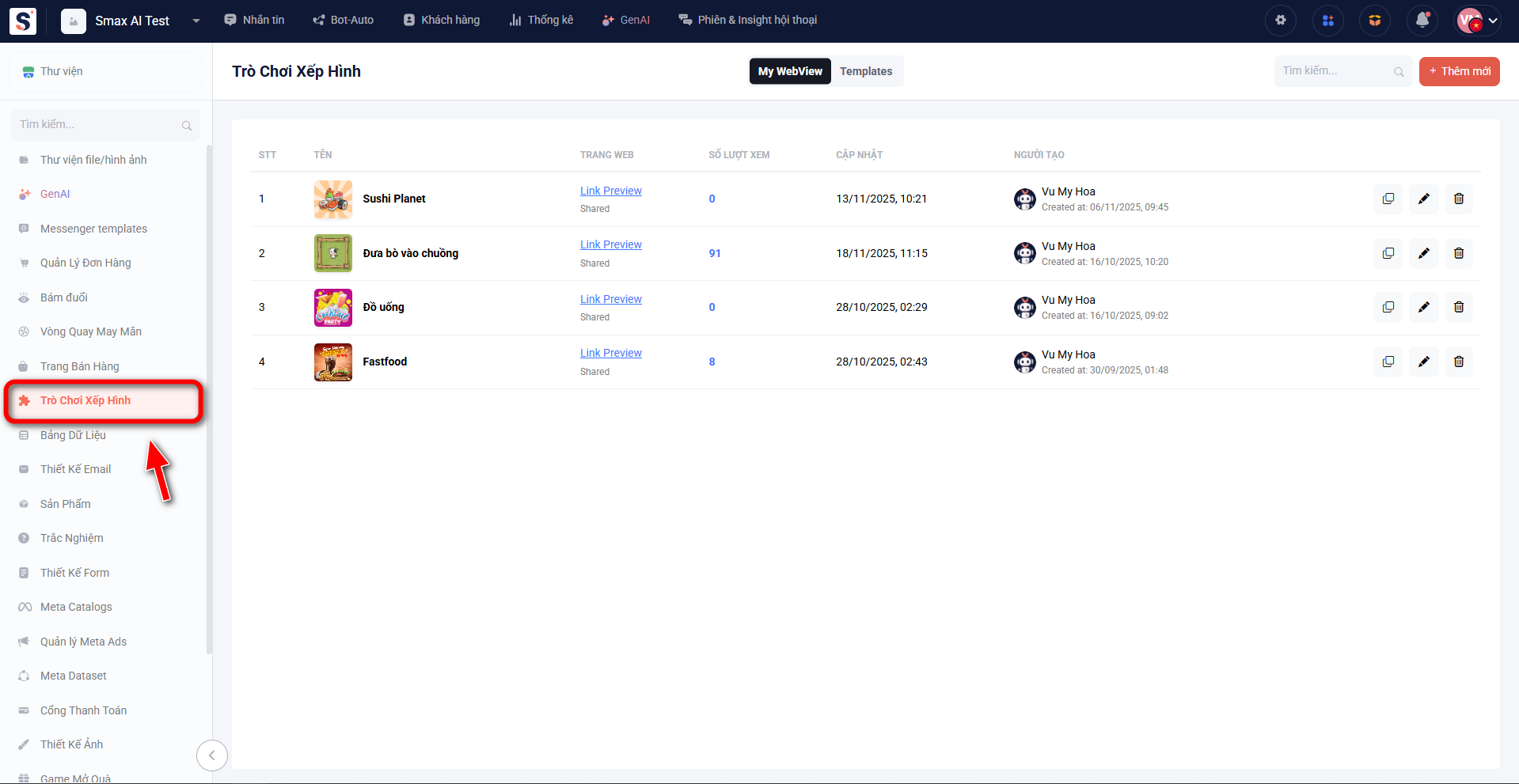
Truy cập **Extend Modules**, chọn **Active** module Puzzle Game. Sau khi active, module sẽ hiển thị ở phần danh sách phía bên trái
### Tổng quan module
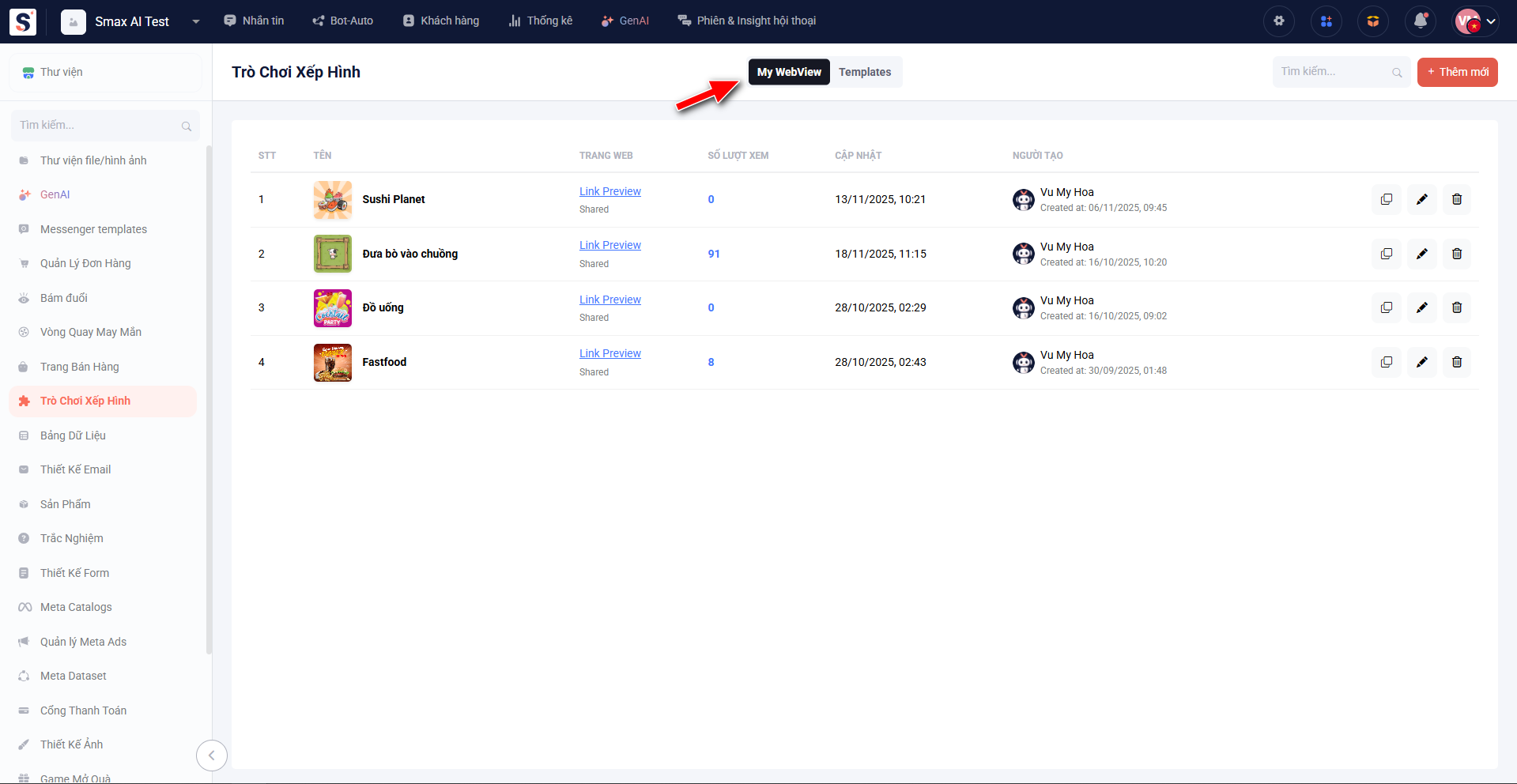
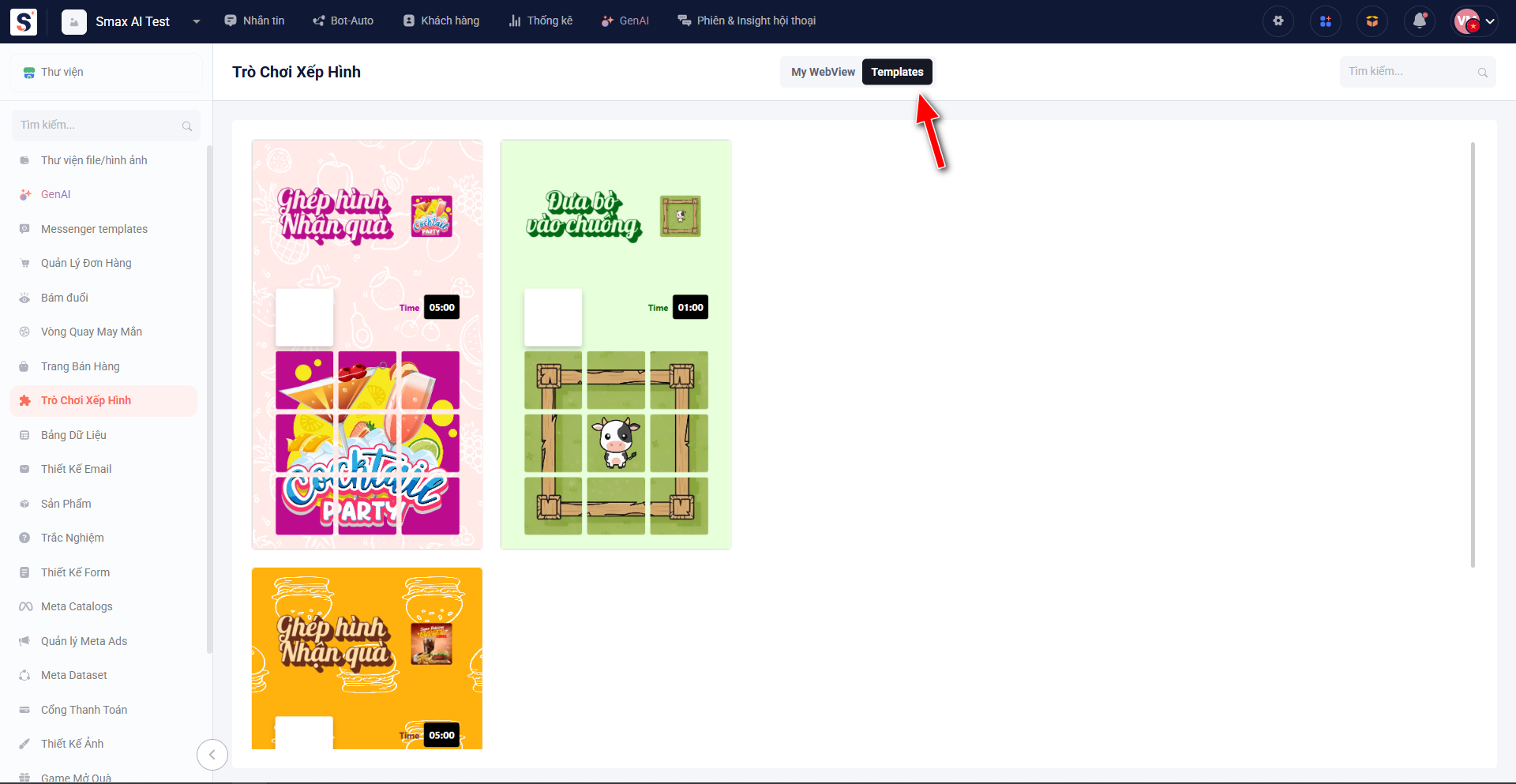
Module Puzzle Game gồm 2 cửa sổ chính:
* My webview: Quản lý các minigame trò chơi xếp hình mà bạn đã tạo tại đây, bạn có thể sao chép, chỉnh sửa hoặc xóa các minigame này
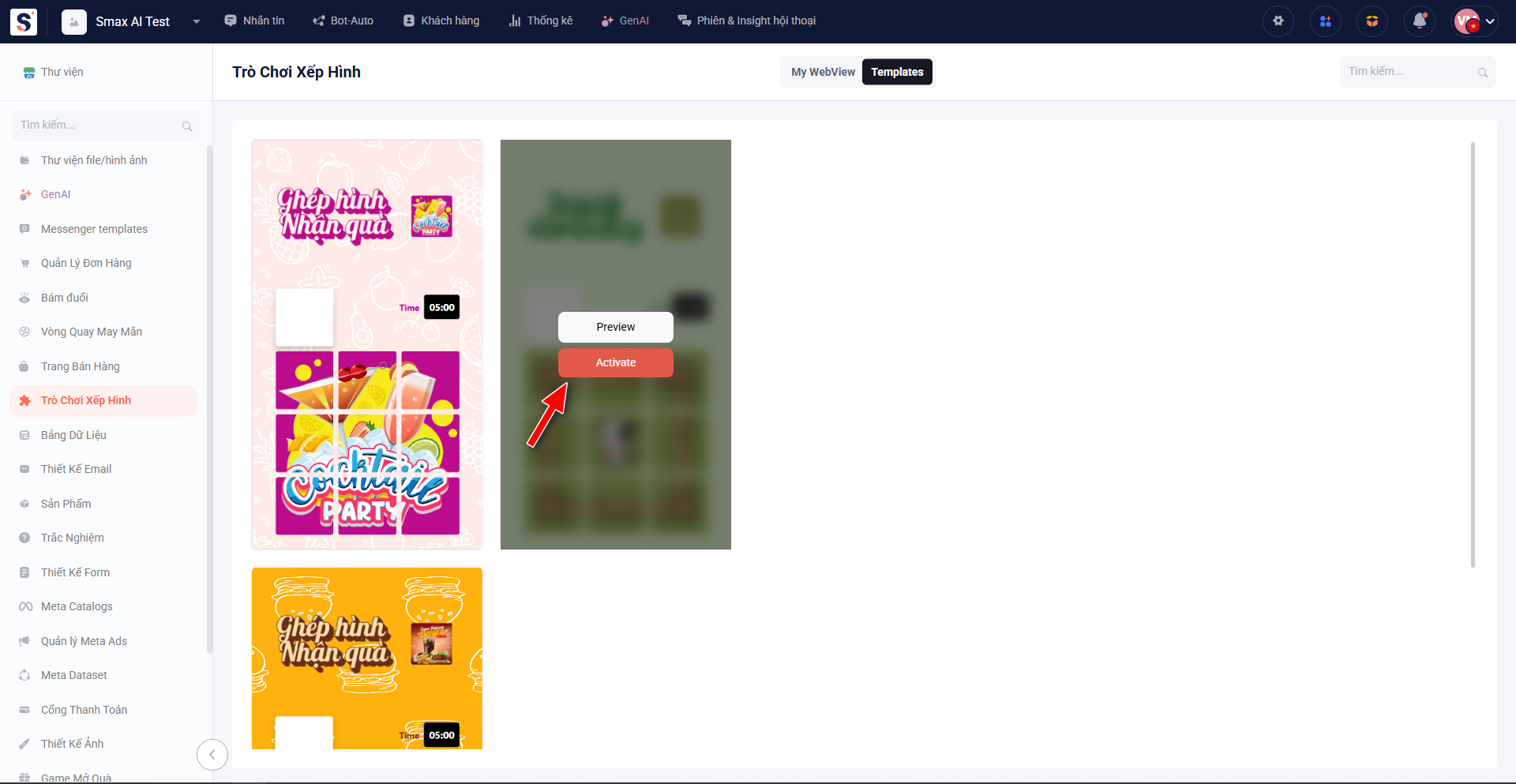
* Templates: Các mẫu minigame trò chơi xếp hình có sẵn trên hệ thống, bạn có thể xem trước hoặc kích hoạt các mẫu này để sử dụng
### Tạo minigame mới
Để tạo mới minigame trò chơi xếp hình, bạn có thể làm theo 2 cách sau:
* Sử dụng mẫu có sẵn trong cửa sổ Templates: Bạn có thể kích hoạt các mẫu minigame có sẵn trên hệ thống bằng cách mở cửa sổ Templates và chọn **Active** lại minigame muốn dùng
* Tạo minigame trống để tự custom: Nếu bạn không muốn sử dụng các mẫu có sẵn, bạn có thể vào cửa sổ My webview, sau đó chọn **Thêm mới** và custom theo ý muốn
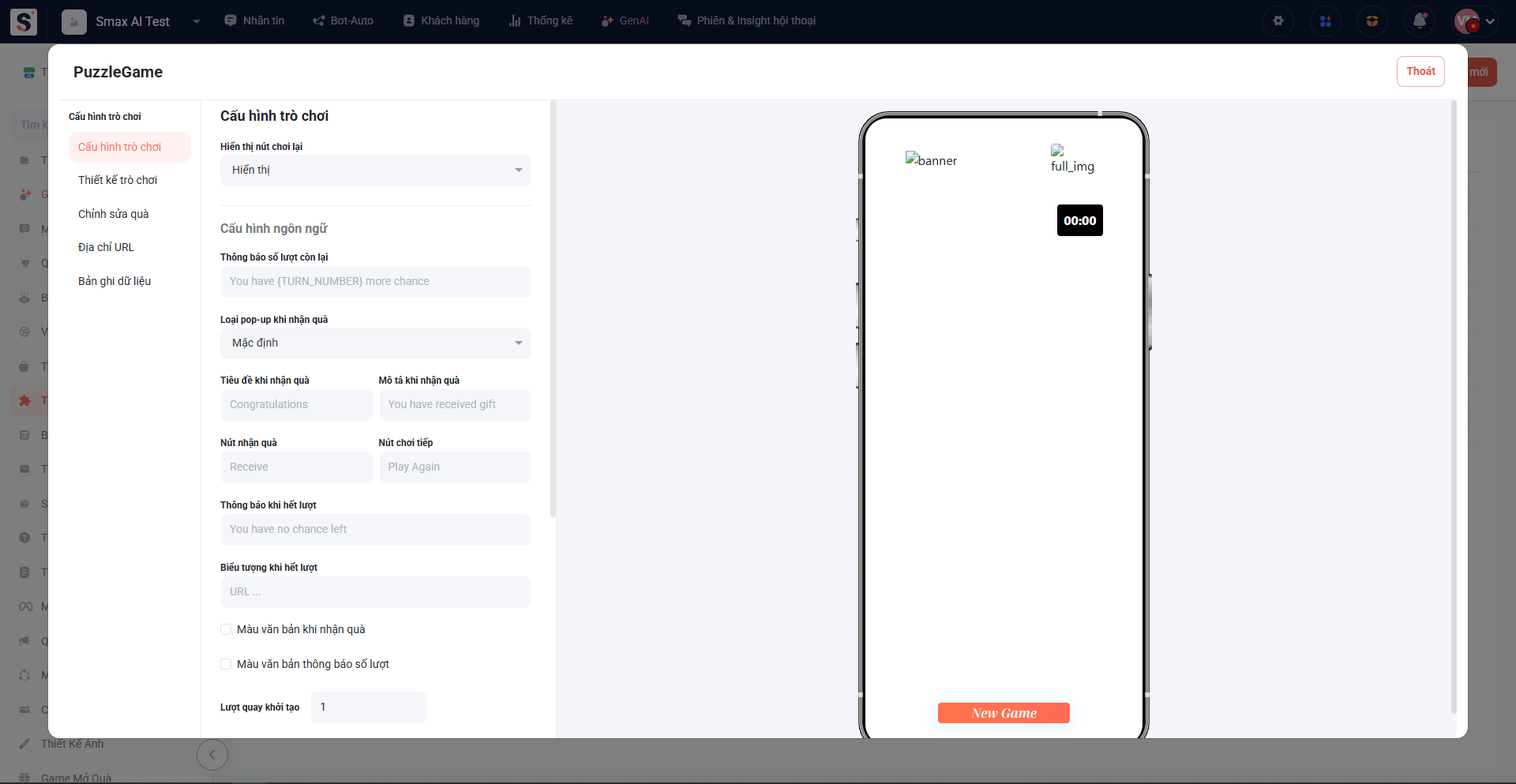
### Giao diện chỉnh sửa
Bạn có thể cấu hình và xem bản preview của trò chơi trong cửa sổ chỉnh sửa
Xem chi tiết hướng dẫn tại:
{% content-ref url="/pages/WQOU37WEDHTCMu3FgcJQ" %}
[Cấu hình trò chơi](/extend-modules/puzzle-game/cau-hinh-tro-choi.md)
{% endcontent-ref %}
{% content-ref url="/pages/E7KLX8JQPSf6qqHoONUt" %}
[Thiết kế trò chơi](/extend-modules/puzzle-game/thiet-ke-tro-choi.md)
{% endcontent-ref %}
{% content-ref url="/pages/UINCsE1UEOOWbQorkdWf" %}
[Chỉnh sửa quà](/extend-modules/puzzle-game/chinh-sua-qua.md)
{% endcontent-ref %}
{% content-ref url="/pages/jxrn0rUXw1ccGYuassI0" %}
[Địa chỉ URL](/extend-modules/puzzle-game/dia-chi-url.md)
{% endcontent-ref %}
{% content-ref url="/pages/xHlOqQyrjft0wB8tZtIR" %}
[Bản ghi dữ liệu](/extend-modules/puzzle-game/ban-ghi-du-lieu.md)
{% endcontent-ref %}